
What changed in Clarity, and why

Nick Lyell · Co-founder & COO
October 29, 2026
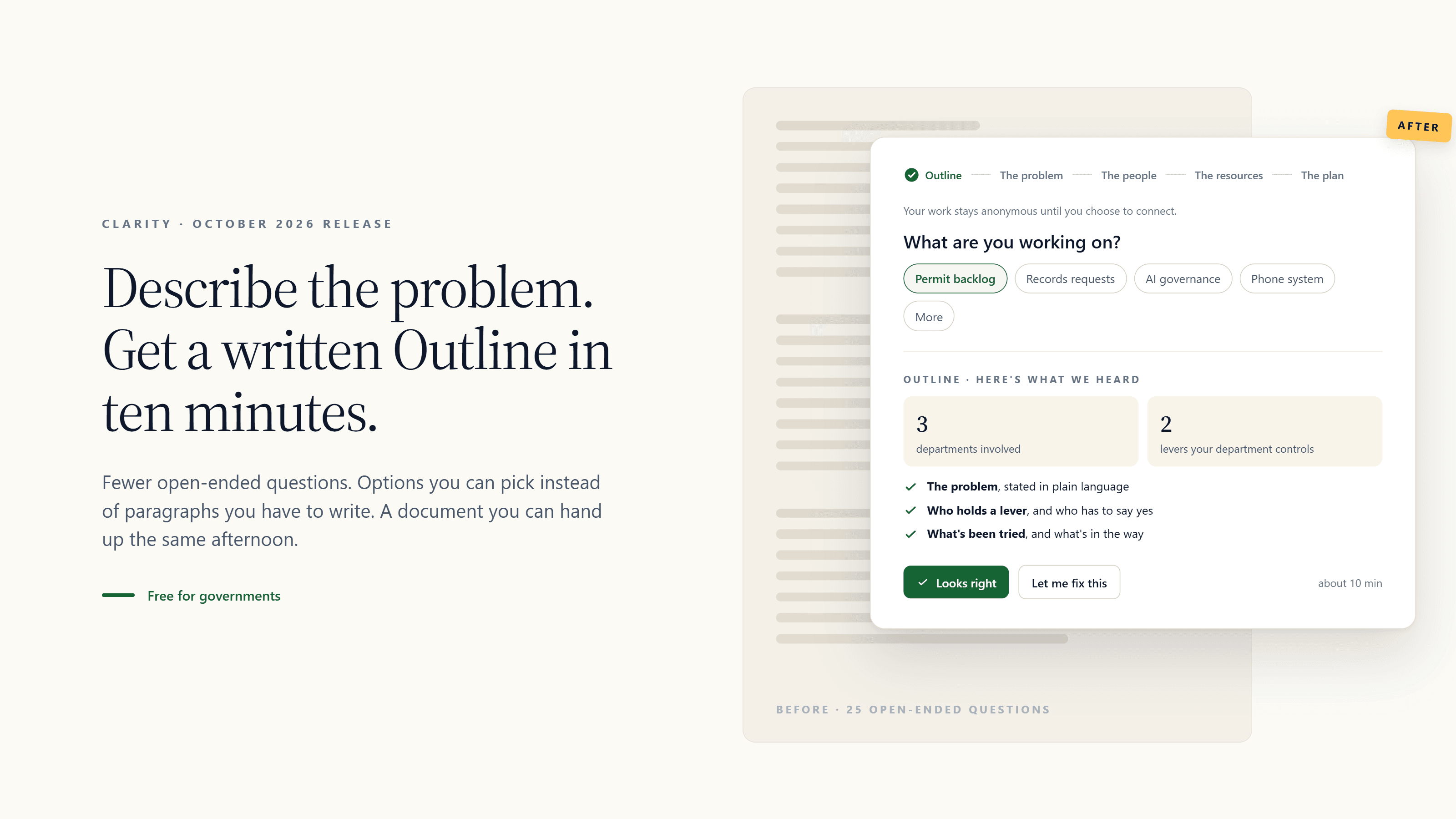
When we launched Clarity in July, we asked the government leaders in our Clarity Cohort to use it on real problems and help us make it better. Three things came up over and over:
It took too long. The full process asked more than two dozen open-ended questions across four phases. People who finished it got something valuable; most people didn’t finish.
It felt too much like ChatGPT. A blank box, a long conversation, a wall of text at the end. If that’s the experience, why not use the chatbot already on your phone?
The first question was intimidating. “Describe your challenge” is a hard thing to type into an empty field at 4:30 on a Tuesday. Several people told us they closed the tab before writing anything.
We took that feedback to a full UX audit this fall. It found some serious problems: users were moved between three different screens before they saw any value, hit an account wall partway through, and faced 25 open-ended prompts with no roadmap of where they were or how much was left. The audit’s guiding principle became the design brief for this release: don’t ask people to formulate what they can simply recognize.
What’s different
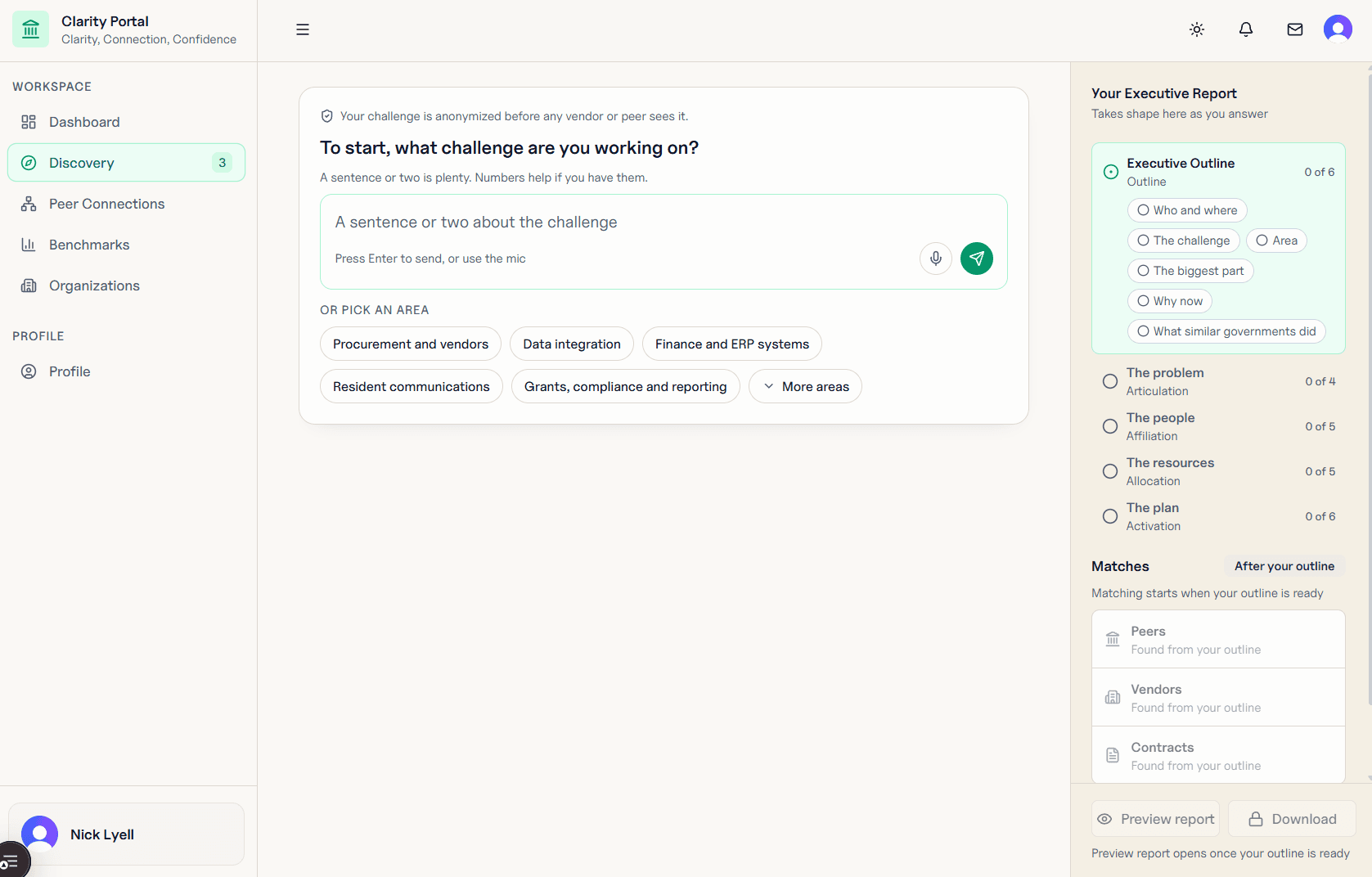
You start by picking, not writing. The first screen offers the most common problem areas as chips (procurement and vendors, data integration, finance and ERP systems, resident communications, grants and compliance, and more). Pick one or type your own. Either way, the rest of the process builds on your words.
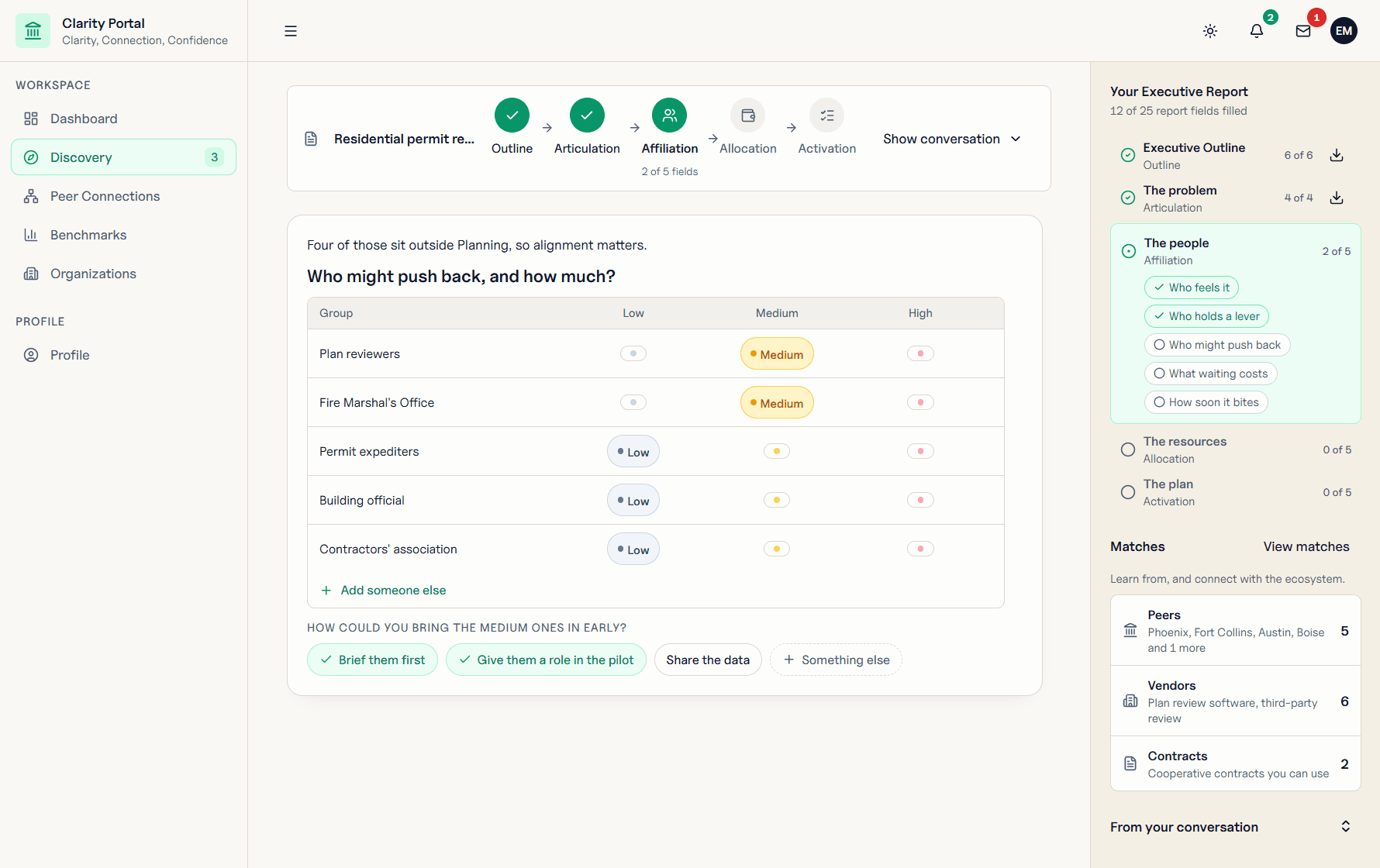
Modules instead of long text. Where Clarity used to ask you to write paragraphs, it now shows you options: who holds each lever, how much resistance each group is likely to put up, which constraints actually bind. You confirm or correct. Typing is there when you want it, not required.
A written Outline in about ten minutes. The Outline is the first section of your Executive Report: the problem in plain language, who’s affected, what you’ve tried, what’s in the way. It’s a document you can hand to your manager, your council, or your finance director the same afternoon.
The Executive Report when you have an hour. Keep going and Clarity works through the problem, the people, the resources, and the plan, with a checkpoint at the end of each phase where it summarizes what it heard and you say “looks right” or fix it. You can preview, share, or download at any point.
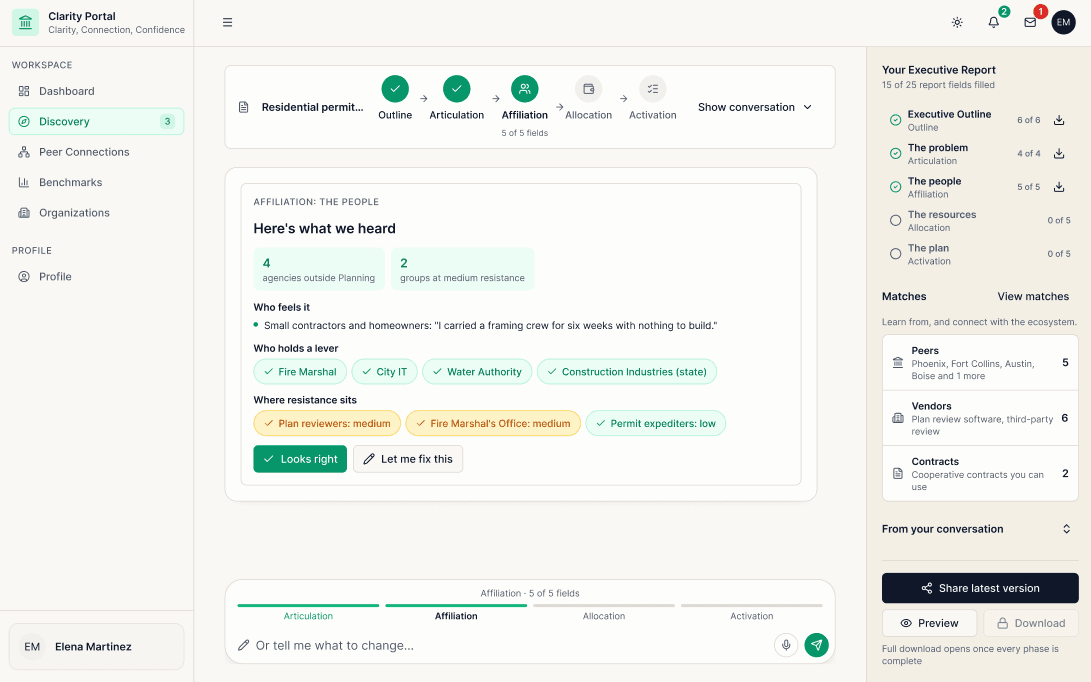
You always know where you are. A progress bar across the four phases, a sidebar showing which report sections are filled, and the matches (peer governments, vendors, contracts) building as you go.
Collaboration is next. Several of you asked to bring colleagues from other departments into the same Outline. That’s the next release, and we’re looking for a few governments to help design it. Reach out, if you are interested!
What it looks like in practice
The City of Peachtree Corners, Georgia (pop. ~45,000) used Clarity to define a 311 challenge that had circulated for months without a shared statement of the problem. Communications, Public Works, and Code Enforcement contributed input through the structured process, producing a written challenge outline the team used to align internally, scope the work, and support proposal to leadership.
What happens to what you type
Nothing you enter is shared with vendors or used to train a model. Anonymized, de-identified challenge data contributes to aggregate research on what governments are working on; no vendor sees who you are, and no vendor can contact you unless you reach out first. The City of Tempe has reviewed and approved CivStart’s Clarity tool as a productivity tool.
Try it on a real one
The best test is a problem that’s on your desk right now and that nobody has written down yet. Run it through Clarity this week; it’s free, and there’s no account needed to start.
If you finish an Outline by December 1, you’re invited to our virtual peer roundtable on December 8 at 2pm ET, where a small group of city and county staff will compare notes on AI governance challenges.